Teamcentric Context
AvailableOne source of truth for what your AI coding agents are told.
Repository for your artefacts: the instructions, prompts and guidelines your AI coding agents work from, in one shared, governed library — versioned, taken through an approval workflow where it matters, assigned to projects — and a CLI that puts the right version into every developer's project folder and records what it wrote.
Teamcentric Context is available, hosted by Teamcentric. There is no self-serve signup: a workspace and its accounts are set up for your organisation.
The problem
Your standards now live in files nobody manages
AI coding agents such as Claude Code, Codex, GitHub Copilot and Cursor do what the files in the repository tell them: AGENTS.md, CLAUDE.md, Copilot instructions, Cursor rules, and the prompts and guidelines developers keep next to the code.
A wiki is read by people, not agents, and has no link to what is in each repository. A shared templates repository has no variables, no per-project choice, no approval and no record of who took what. Each AI tool's own settings are per tool and per person.
- They are copied by hand and drift apart
- A good AGENTS.md is pasted from one repository to the next and edited in each. Within weeks no two say the same thing, and nobody can tell which repository has the current rules.
- Standards do not reach the agents
- Security and compliance rules, coding conventions and review checklists sit in a wiki that agents never read. What an agent is told in a repository is whatever someone last wrote there.
- There is no review
- A change to the instructions that steer every agent in a team is a commit like any other. Nobody approves it, and nobody sees what changed.
- Leads cannot see what developers have
- A team lead cannot tell which version of the rules each developer's folder holds, or whether the mandatory ones are there at all.
- Good prompts stay on one laptop
- A prompt that writes good tests, or a careful security-review prompt, is reused by its author and nobody else.
How it works
Governed in the browser, written by the developer
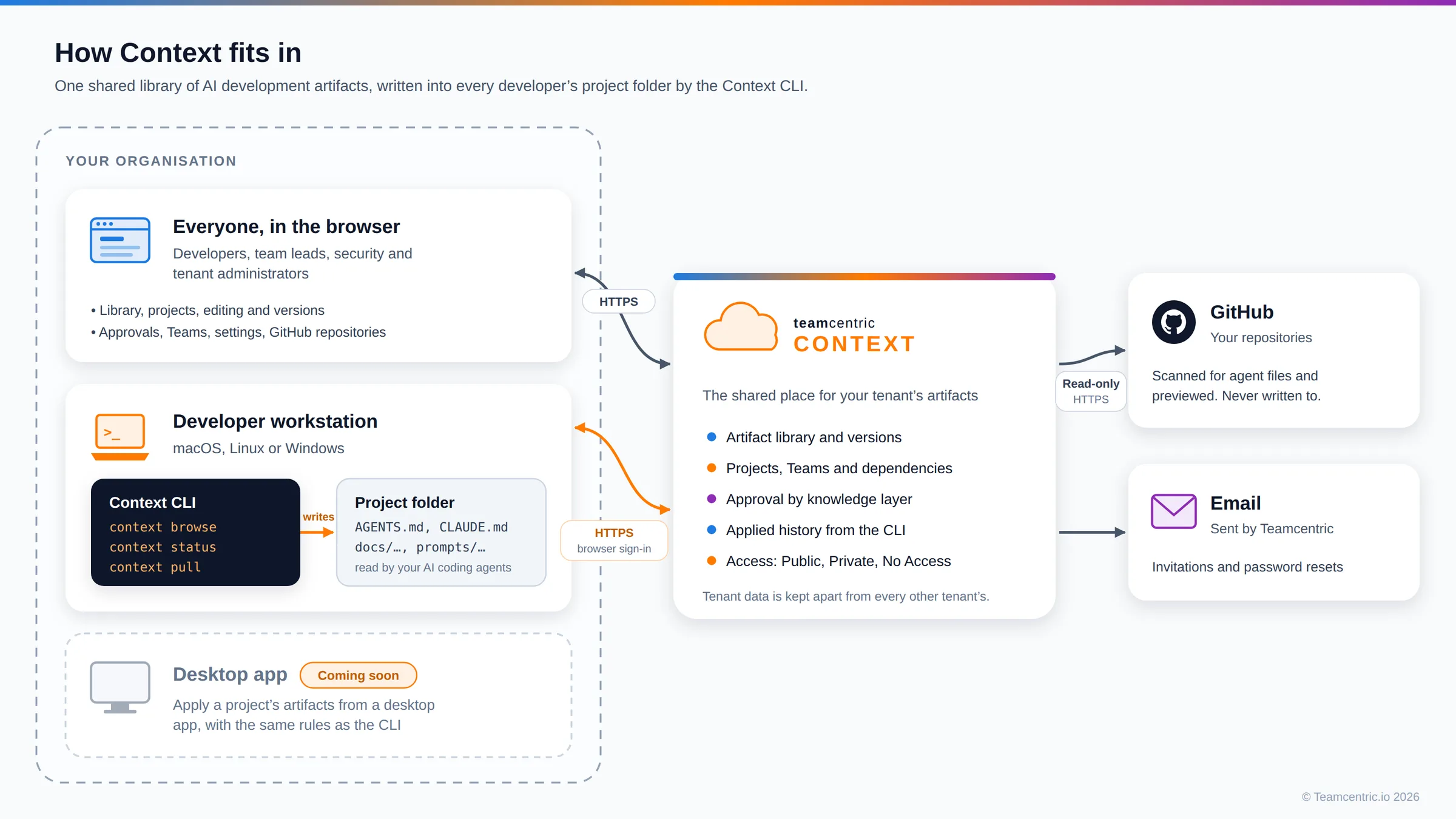
The library, projects, approval and history live in Context. The CLI is the only thing that touches a working copy: it writes published versions into the developer's folder and reports every write.
-
Set up your workspace
A tenant administrator invites people, creates Teams and projects, and decides which knowledge layers need approval.
-
Build the library
Anyone can write an artefact in the browser: Markdown with typed variables, supporting files and links to the artefacts it builds on. It is published directly, or after an administrator approves it.
-
Bring it into projects
Team leads assign published artefacts to their projects as mandatory or optional. Each project gets its own copy, and decides when to take later library changes.
-
Write it into the code
Developers run context login once in their project folder, then context browse to write the project's artefacts with variables and the project header filled in. context status and context pull keep them current, and every write is recorded.
The library
One library for every team's AI context
Every artefact in the tenant, across all knowledge layers — the instruction files, prompts and guidelines that used to be copied from repository to repository.
- Every artefact, one list
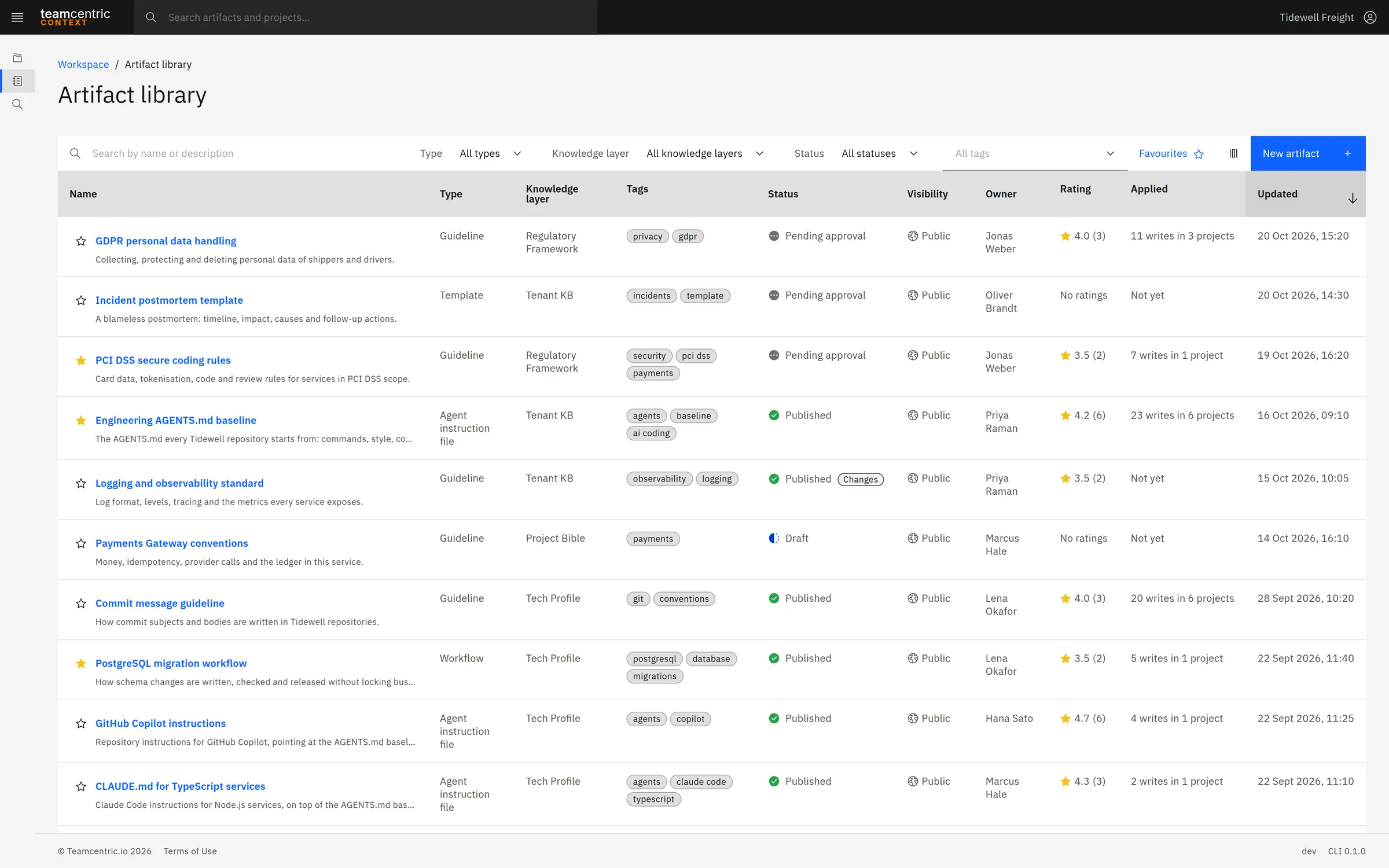
- Search by name and description, and filter by type, knowledge layer, status and tags. Each row shows its layer, status — marked Changes when a newer version is not published yet — visibility, owner, rating and how often it was applied, in how many projects.
- Types you recognise, and your own
- Agent instruction files such as AGENTS.md and CLAUDE.md, Copilot instructions, prompts, guidelines, templates, snippets and workflows. Administrators add types of their own, such as Runbook.
- Favourites, columns and export
- Star artefacts as favourites and show only those; the CLI shows the same favourites. Choose the columns, sort, and export what is shown as CSV.
Find any rule, in any project
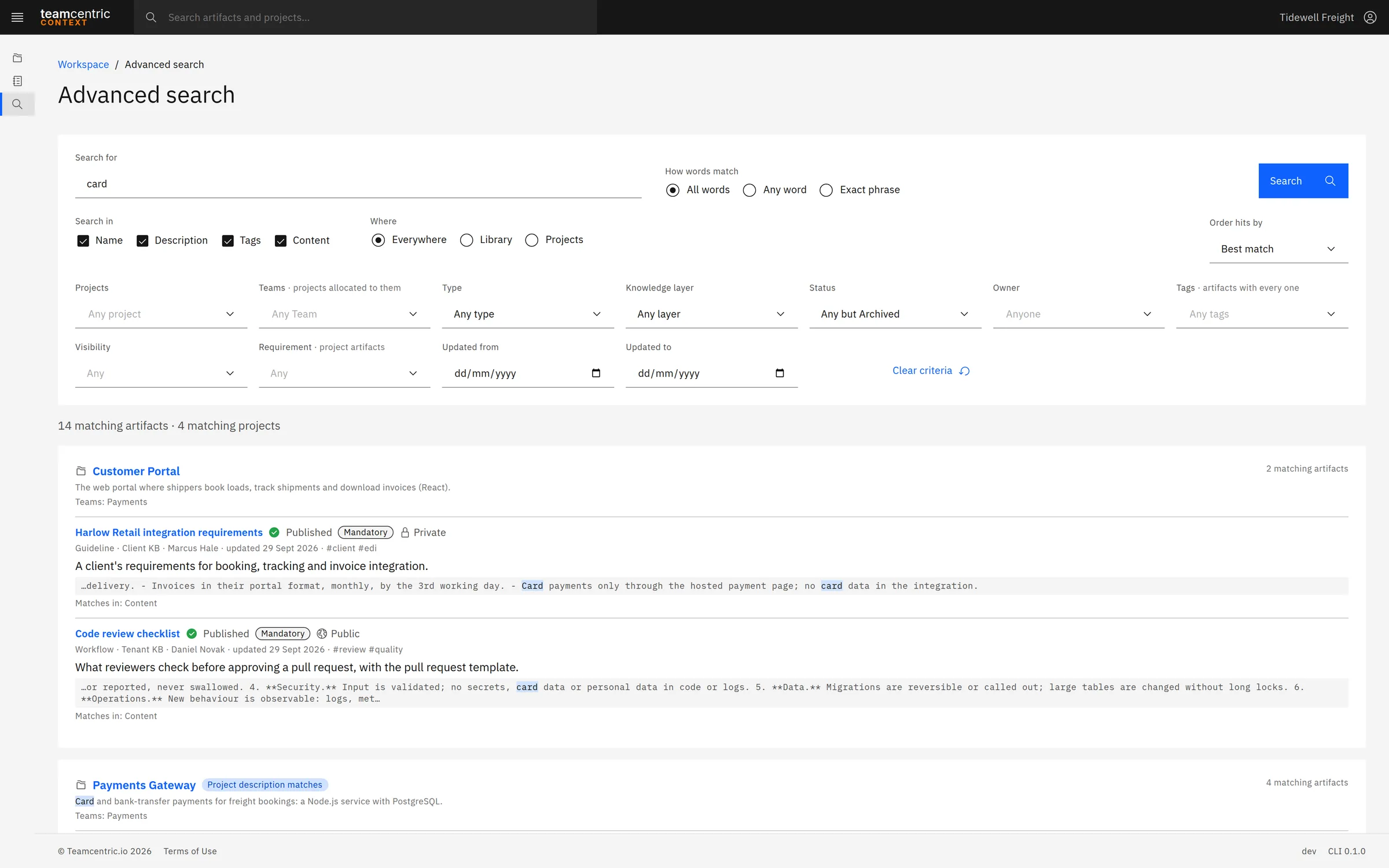
Search looks through names, descriptions, tags and the content itself, across the library and your projects. Results are grouped by project with the matching text highlighted, filters cover everything from Team to visibility and dates, and every search has its own link to share.
An artefact
Markdown, with everything it needs to travel
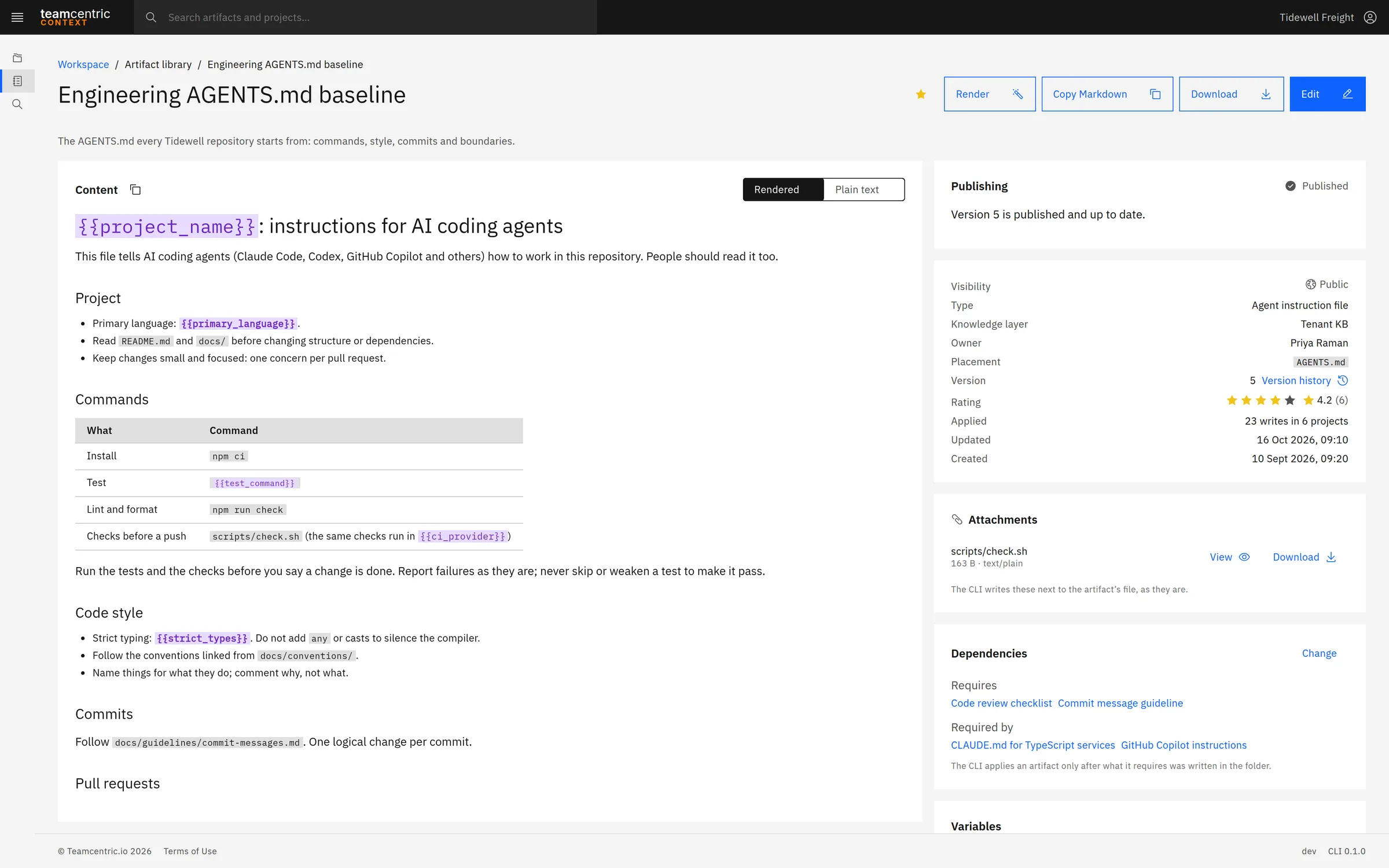
An artefact is a Markdown document with a type, a knowledge layer, an owner and a suggested place in the project. Its page shows the content, where it has been applied, its publishing state, access, attachments, dependencies, variables and activity.
- Variables
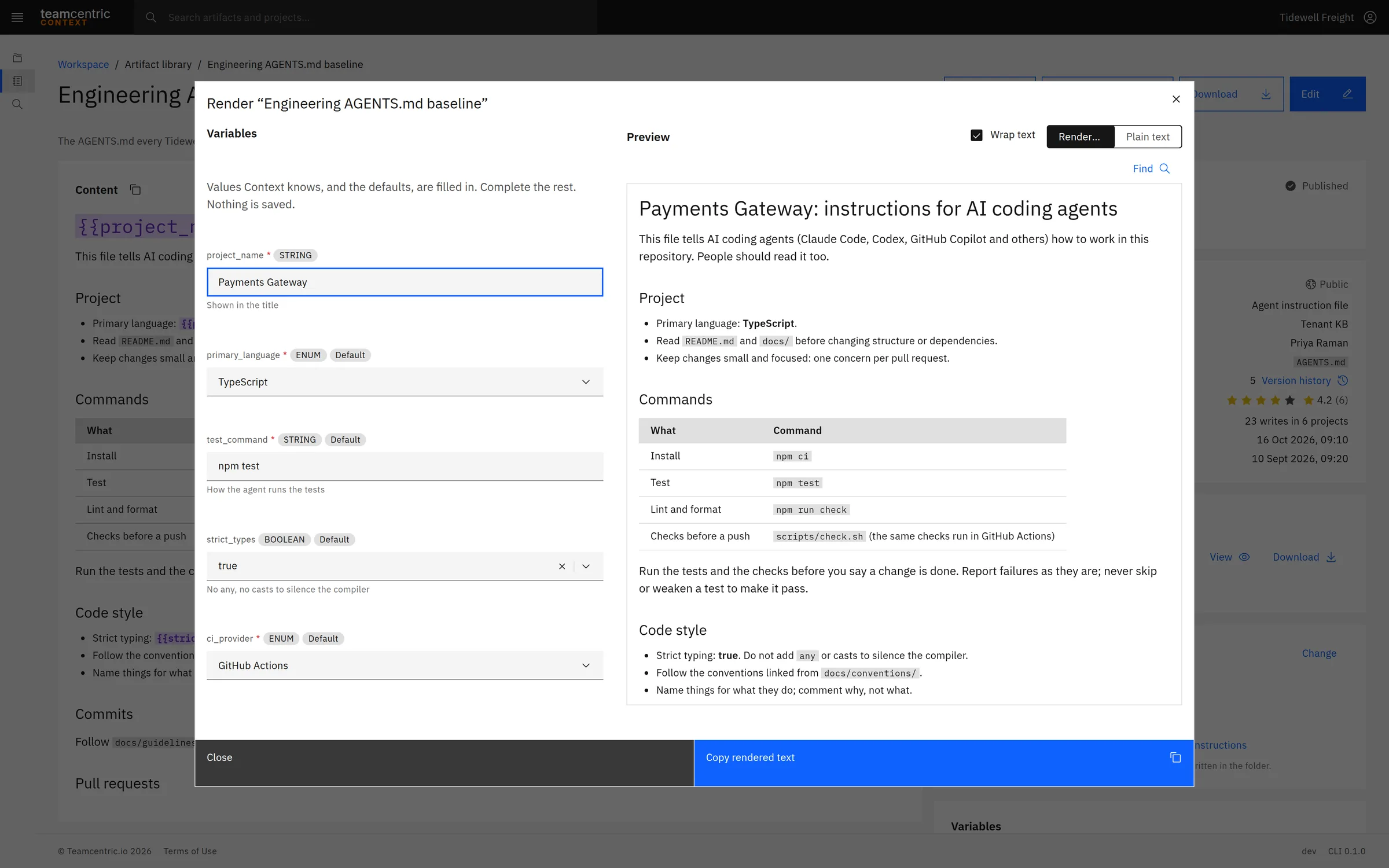
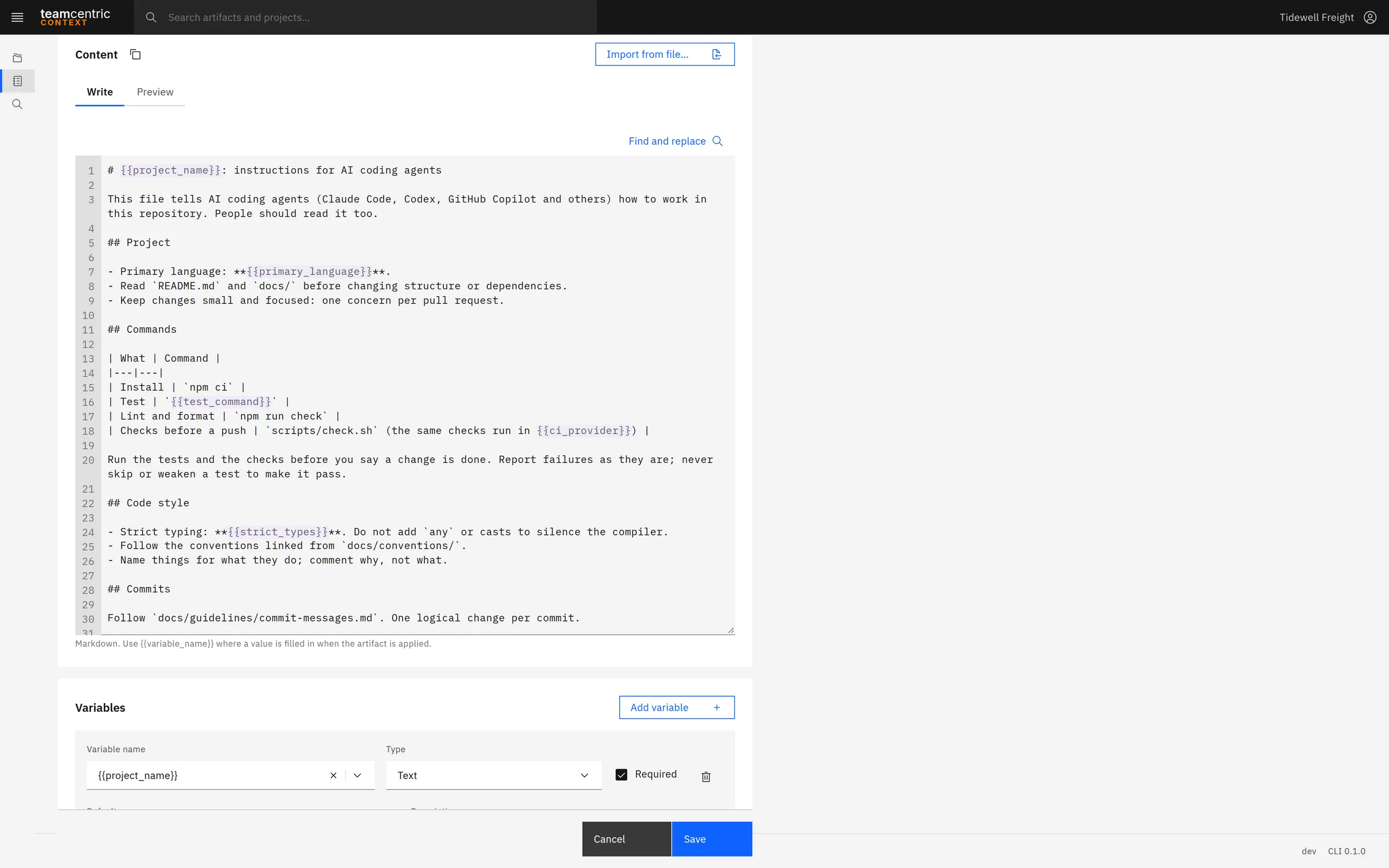
- Write {{placeholders}} into the Markdown and give each a type — text, number, yes/no, a list of allowed values, or JSON — with defaults and required rules. One artefact then fits many projects. Render fills them in and previews the finished file in the browser, ready to copy.
- Attachments
- Scripts, configuration, PDFs and images travel with the content: up to 20 files of up to 10 MB per version, versioned with it, and written next to the artefact's file by the CLI.
- Dependencies
- An artefact can require others — a CLAUDE.md that builds on the AGENTS.md baseline. The CLI writes what is required first, and assigning an artefact to a project brings its dependencies along.
- Versions and activity
- A save that changes the content, variables or attachments creates a new version; the published one stays live until its replacement is published. Every version opens exactly as saved, and the activity record shows who created, published, approved, assigned or changed it.
Publishing and approval
Nothing in a governed layer is published unseen
Every artefact is a Draft, Pending approval, Published or Archived, and only published artefacts reach developers.
- Knowledge layers
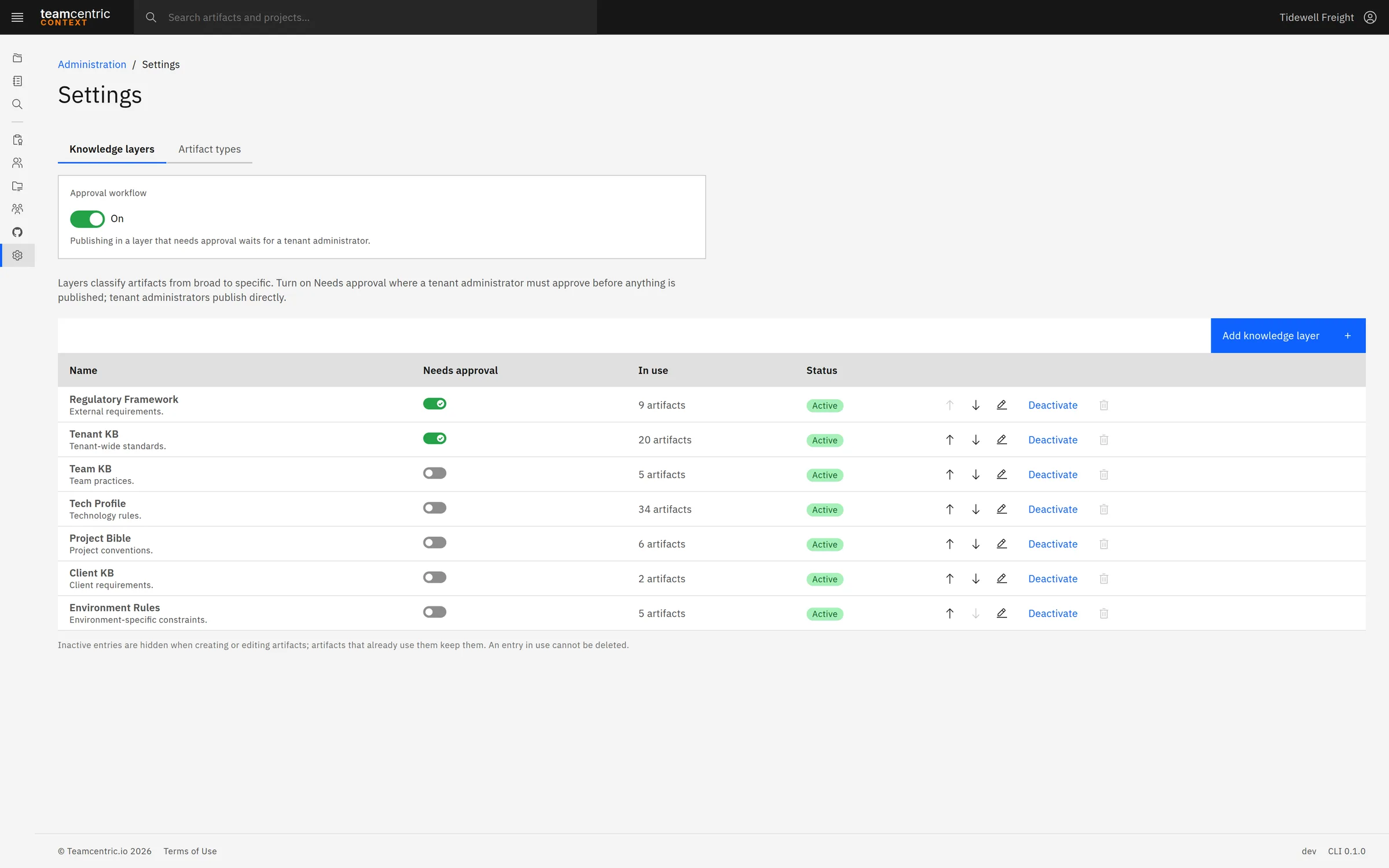
- Layers classify artefacts from broad to specific. A new workspace starts with Regulatory Framework, Tenant KB, Team KB, Tech Profile, Project Bible, Client KB and Environment Rules; administrators rename, reorder, add and retire them.
- Approval where it matters
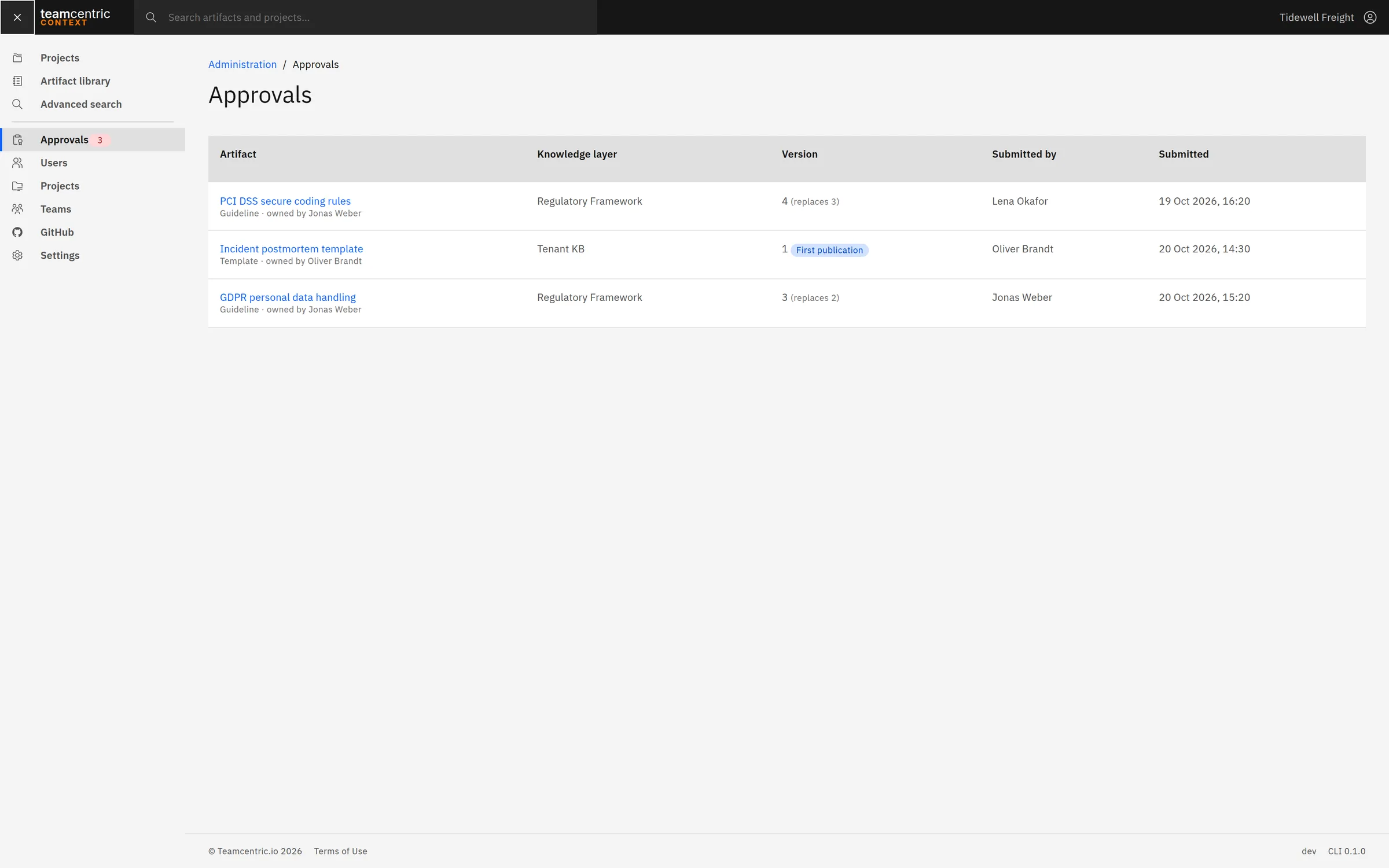
- For each layer, an administrator decides whether publishing needs approval; there, a user's Publish becomes Submit for approval. The tenant-wide Approval workflow switch turns approval off for a small team while keeping each layer's setting for later.
- The exact change, reviewed
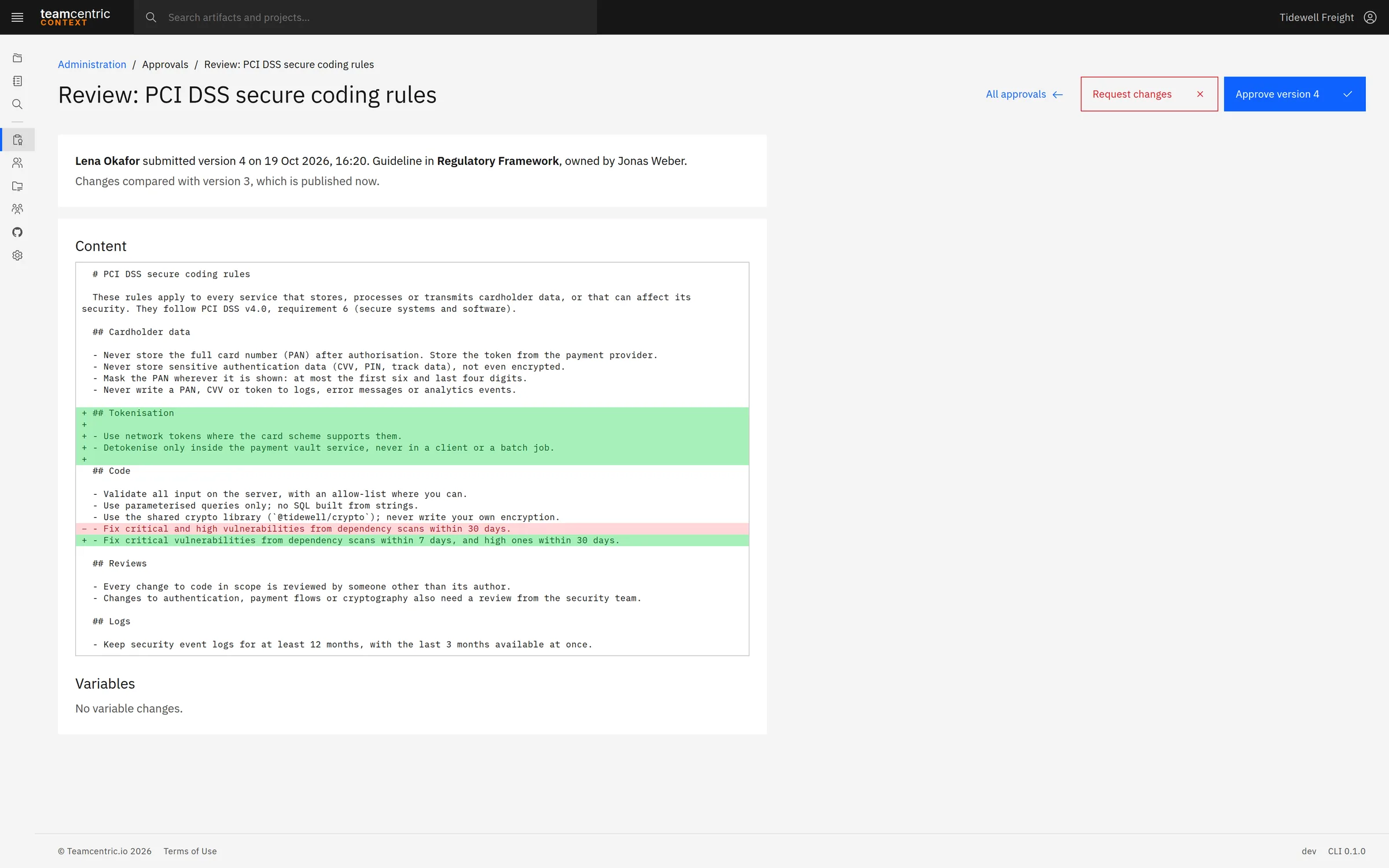
- A review shows the pending version against the published one, line by line, for the content and the variables. The administrator approves it, or requests changes with a comment the author sees.
Projects
Everything a codebase needs, mandatory or optional
A project groups what one codebase needs. Team leads assign published artefacts from the library as mandatory or optional; anyone in the project can create an artefact that lives only there, and its owner can later copy it to the library.
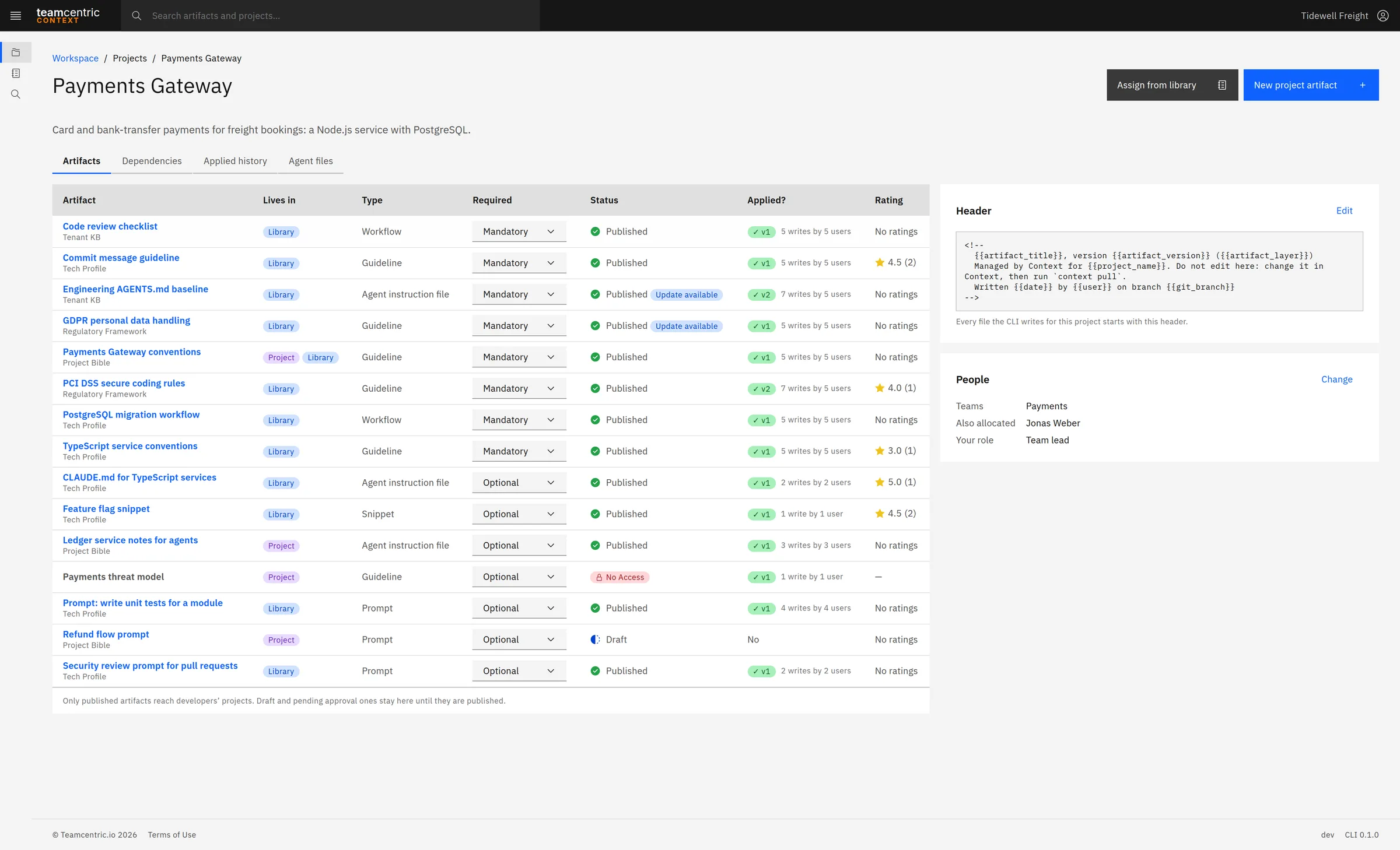
- Artefacts
- Every artefact in the project: a library copy or made for this project, Mandatory or Optional, its status — Update available when the library has moved on, No Access for private ones you may not view — whether and how often it was applied, and its rating.
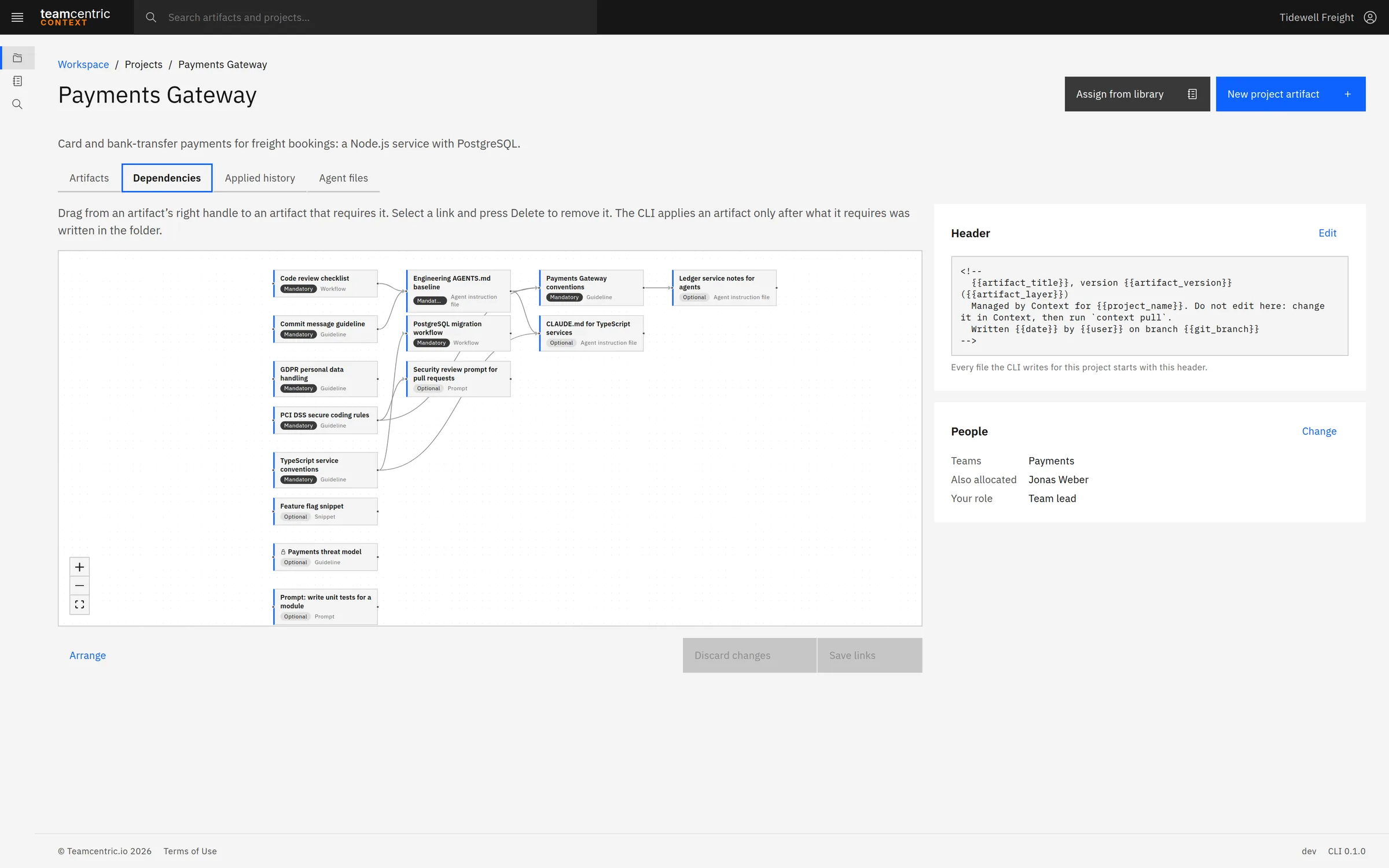
- Dependencies
- A visual designer: what is applied first on the left, what builds on it to the right. Team leads draw and remove links and save them together.
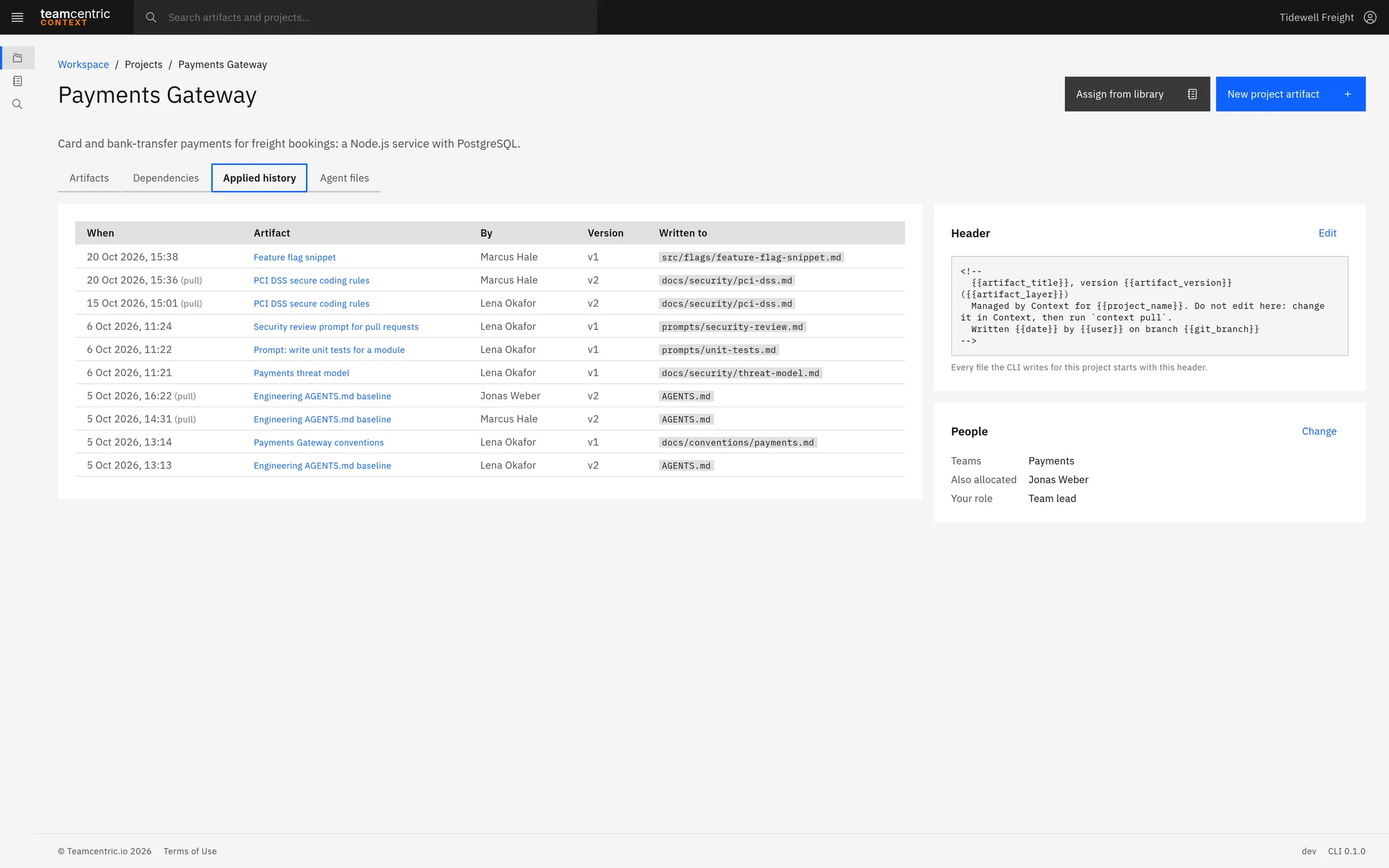
- Applied history
- Every file the CLI wrote for this project: when, which artefact, by whom, which version and where in the folder, including updates by context pull.
- Agent files
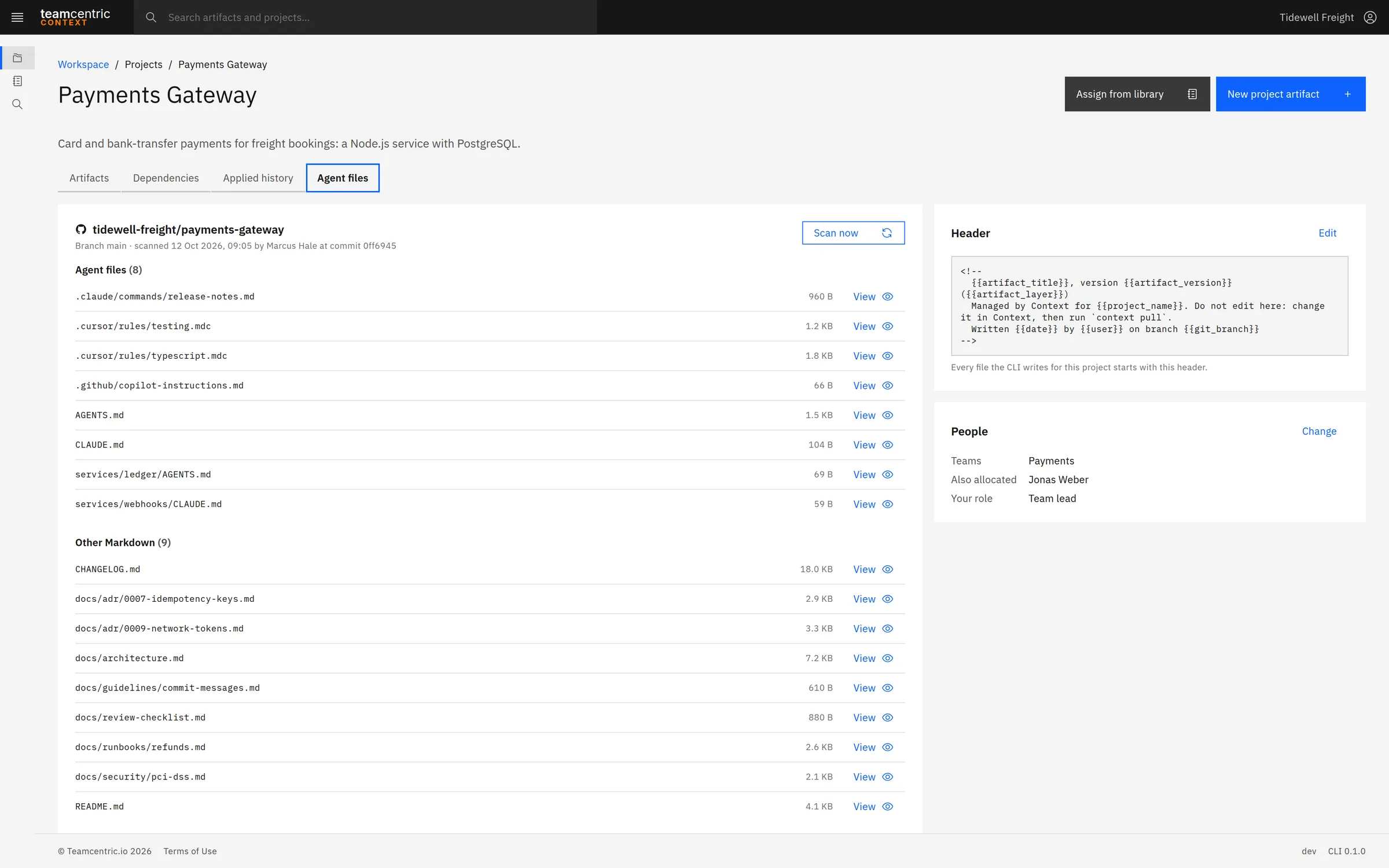
- The project's GitHub repository, scanned read-only for the agent files it already contains.
- Header
- An optional block the CLI puts at the top of every file it writes for the project — the artefact's name, version and layer, the project, the date, the user, and the Git branch and commit.
Library updates
Take the library's changes, keep your own
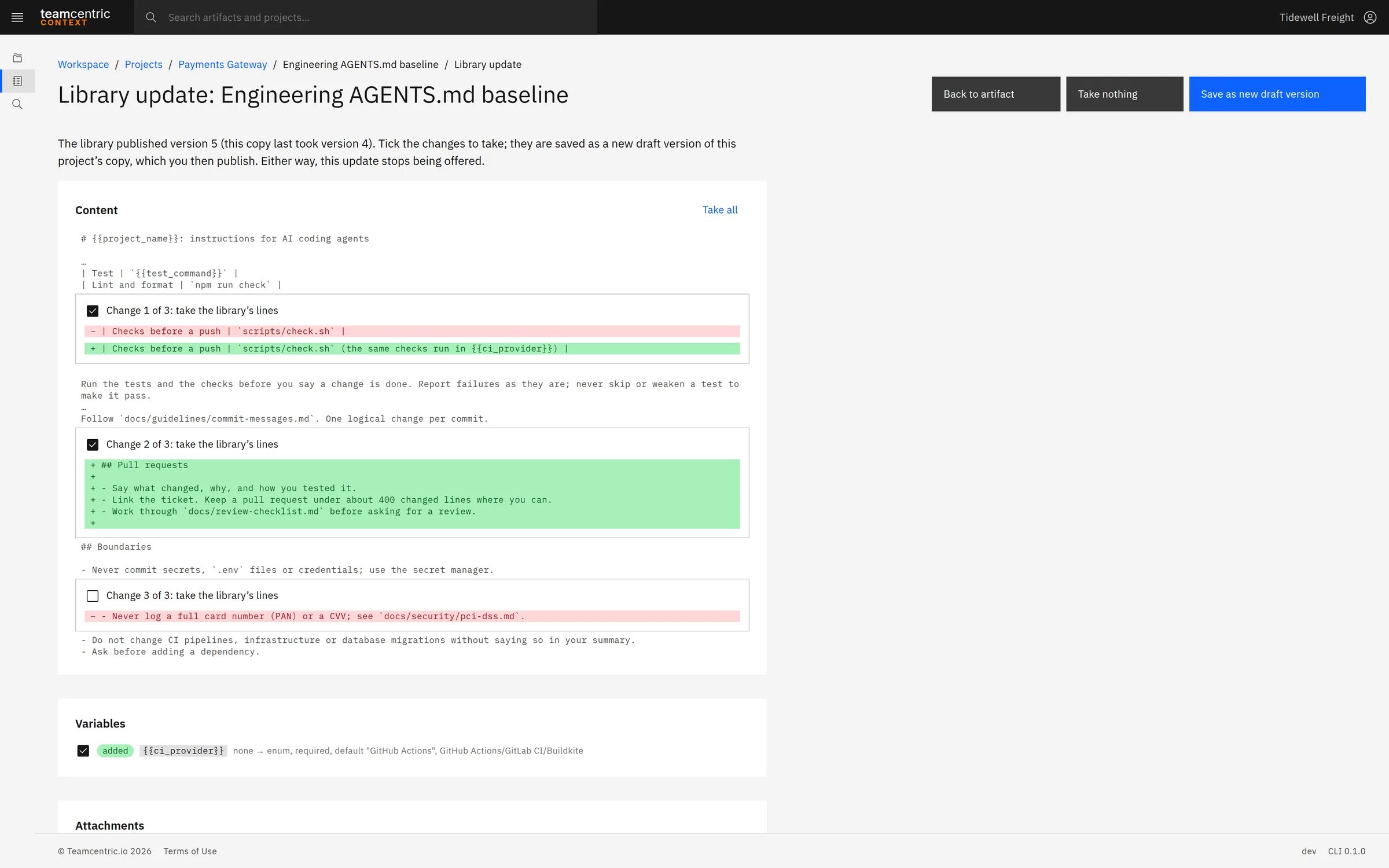
When the library publishes a newer version of an artefact a project has a copy of, the project sees Update available. Nothing is taken until someone chooses it.
Review update shows each changed block of lines, each changed variable and any change to the attachments, each with a tick box. The chosen changes become a new draft of the project's copy, so a project can take the library's new sections and keep its own additions. Take nothing records that the update was seen.
The Context CLI
The right version in every developer's folder
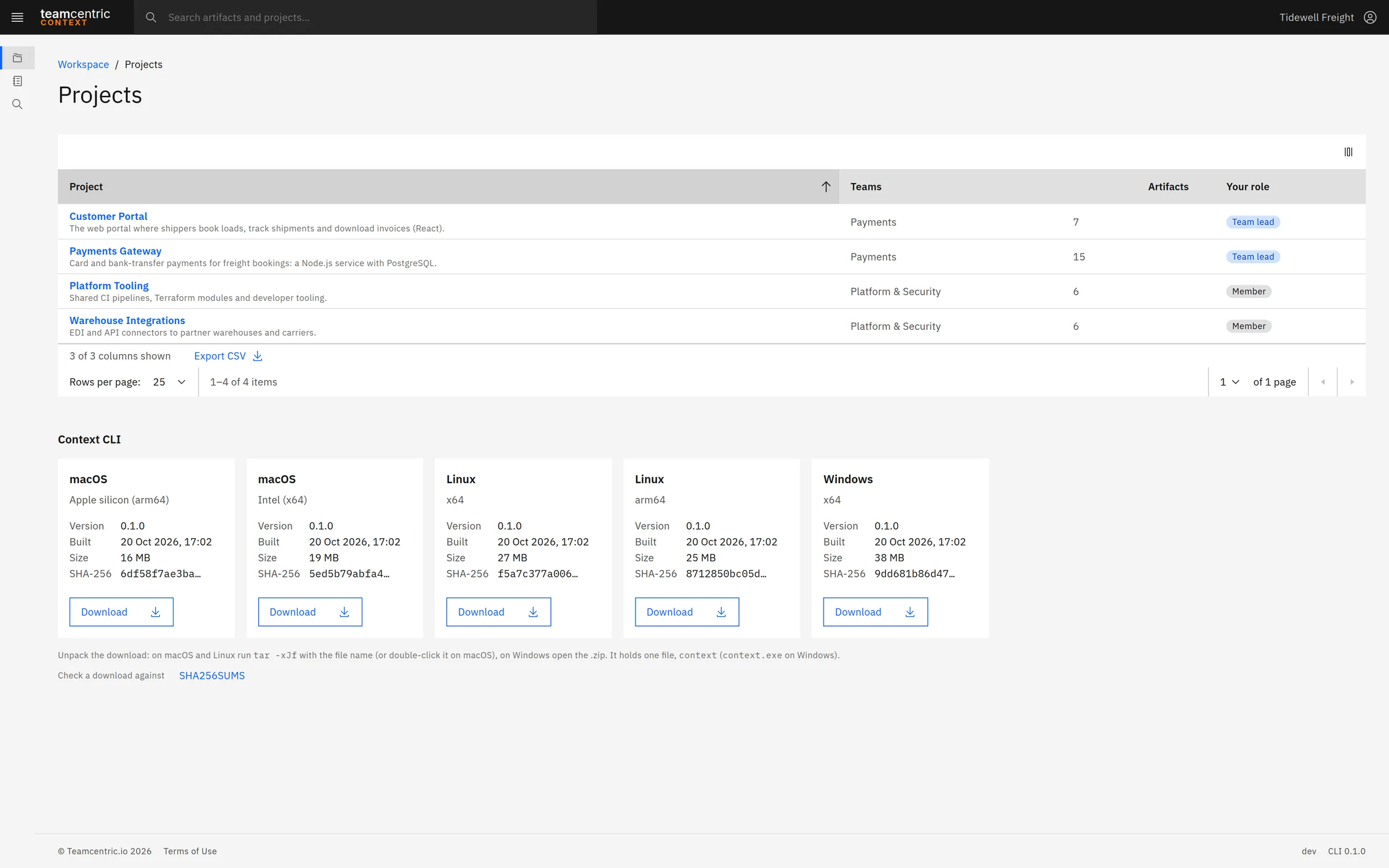
One standalone executable for macOS (Apple silicon and Intel), Linux (x64 and arm64) and Windows (x64), downloaded from the Projects page. It connects project folders to Context and never overwrites a local change without asking.
- context login
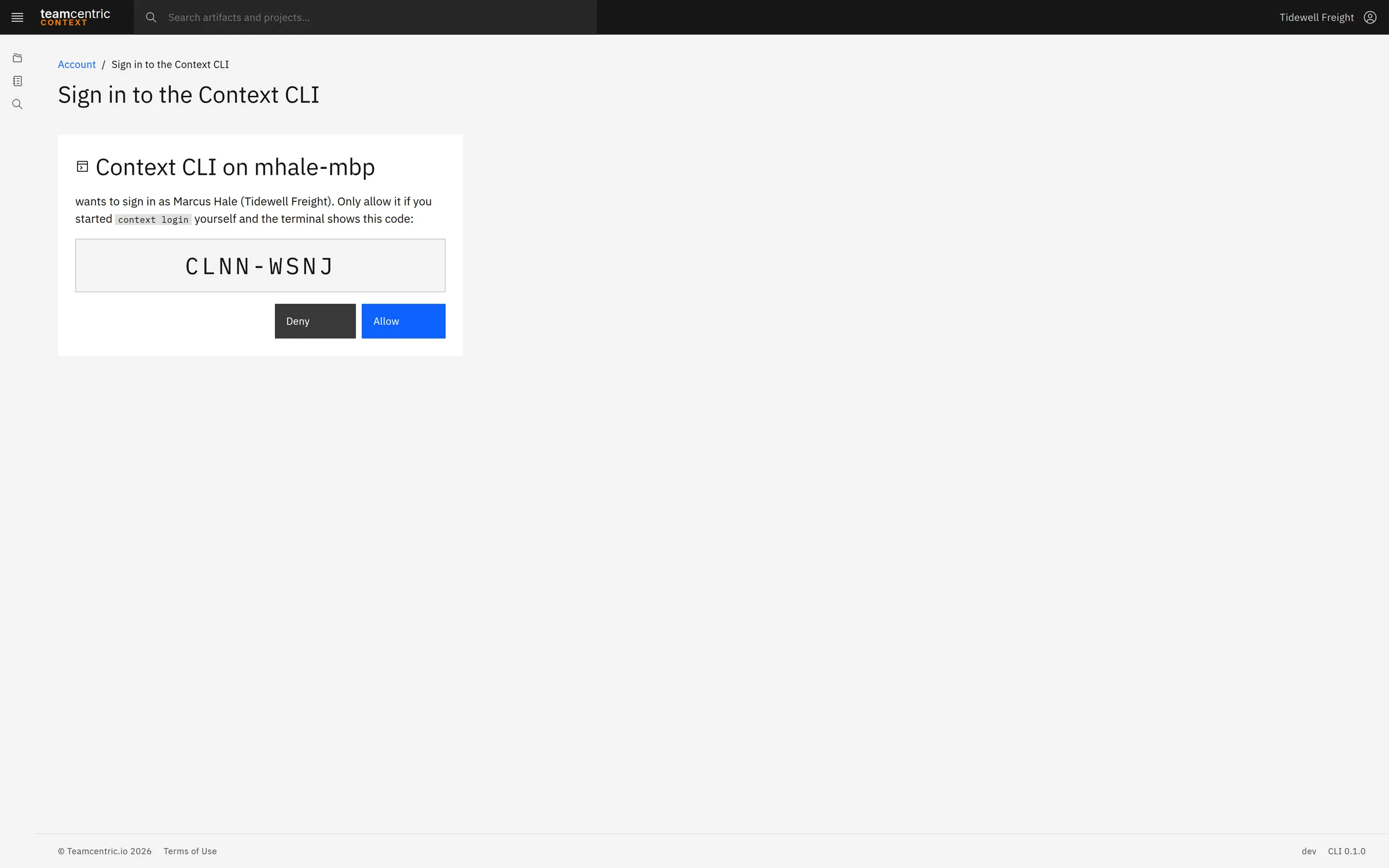
- Signs in through the browser: the terminal shows a code, the developer confirms it in Context, and the folder is bound to one of their projects. It then lists the mandatory artefacts not yet written.
- context init
- Binds another folder with the session already signed in.
- context browse
- An interactive browser in the terminal: the project's artefacts with a preview and details, search across the project and the library, Write to folder, Add to project, attachments, and importing local documents as drafts.
- context status
- The mandatory artefacts still to write and, for each file Context wrote, its version, the published version and whether it was changed locally.
- context pull
- Updates written artefacts to the newest published versions with the values remembered from the first write. It never overwrites a local change without asking.
- context logout
- Ends the session and removes the stored credentials.
When it writes, the CLI asks for each variable's value — with defaults and what it already knows, such as the project name, filled in — adds the project header, writes the attachments next to the file, and reports the write to Context. A report that cannot be sent is kept and sent on the next run. A small .context folder in the project holds the binding and a list of what it wrote, which teams may commit.
Agent files in GitHub
See the agent files already in your repositories
Administrators add a GitHub token and assign repositories, each with a branch, to projects. Project members scan the repository to list its Markdown, agent files first.
AGENTS.md and CLAUDE.md in any folder, Copilot instructions, Cursor rules and Claude commands, each with a preview. The connection is read-only: Context never writes, pushes or commits to GitHub, and tokens are stored encrypted.
Administration
People, rules and access in one place
Tenant administrators get an Administration area for everything the library depends on.
- Approvals
- Submissions waiting for a decision, with a count in the navigation.
- Users
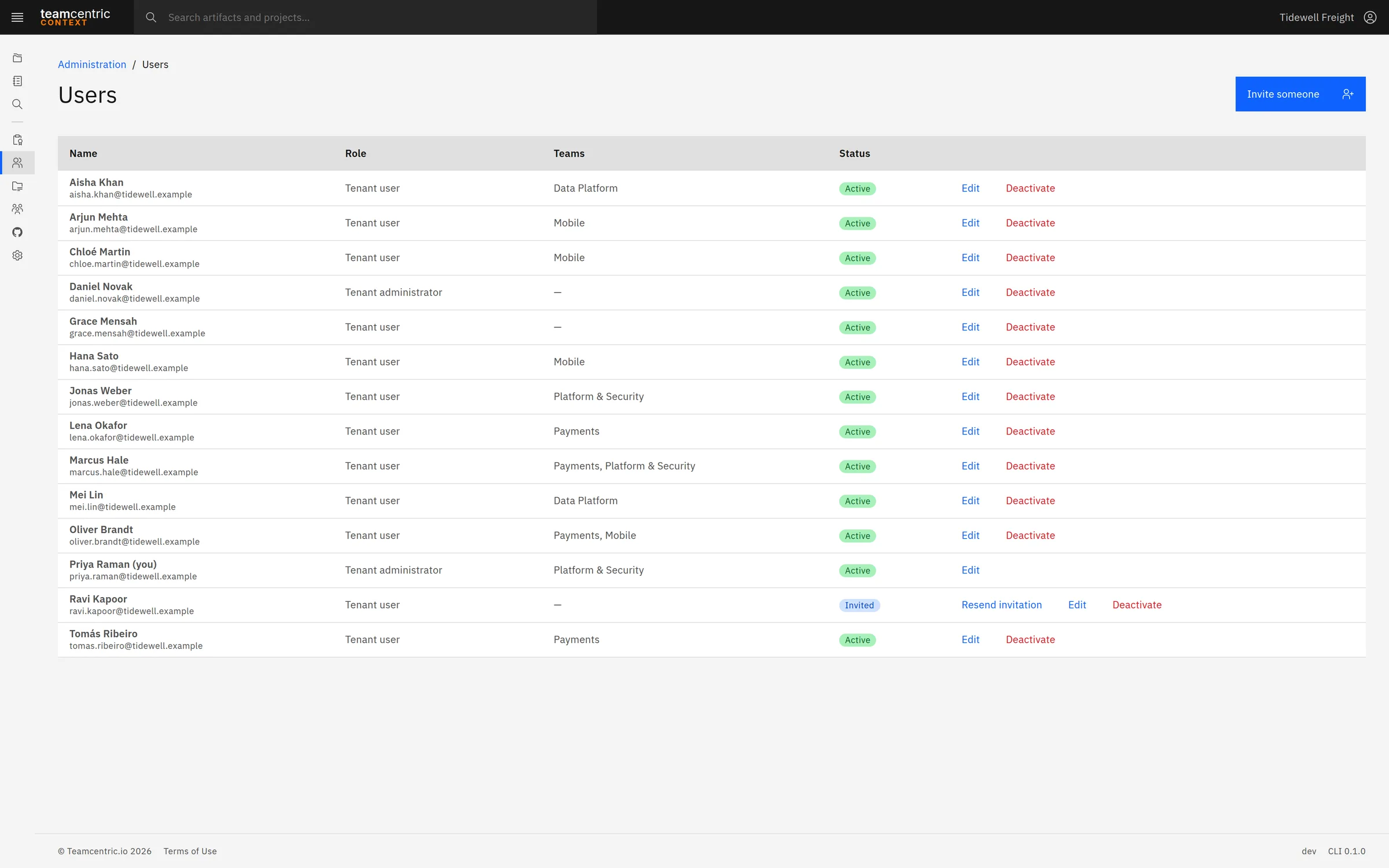
- Invite people by email, set their role, deactivate and reactivate them, and see who has not accepted an invitation yet.
- Projects and Teams
- Create projects and allocate them to Teams and people; manage each Team's members and leads.
- GitHub
- Tokens, with each one's account, status and expiry, and the repositories assigned to projects.
- Knowledge layers
- The approval switch, and each layer with its description, whether it needs approval, how many artefacts use it, and whether it is active.
- Artefact types
- Each type with what it contains and what applying it to a project does. A layer or type in use cannot be deleted — only deactivated, so existing artefacts keep it.
Who it is for
For everyone whose rules an agent should follow
The people who write the standards, the people who ship the code, and the people who have to show that one reached the other.
- Developers
- The right artefacts in their repository with one command, filled in for their project, and kept current with context pull.
- Team leads
- Control of what each project requires — mandatory or optional, the header, dependencies — and a record of who applied which version.
- Platform and developer-experience teams
- One place to maintain the artefacts every AI coding agent works from, and to roll out changes without overwriting projects' own additions.
- Security and compliance
- Their rules as artefacts in a governed layer that needs approval, delivered into the repositories, with a version history and an activity record.
- Engineering managers
- Reusable artefacts — prompts and practices — shared across Teams instead of staying on one laptop, with ratings and usage showing what works.
- Tenant administrators
- People, Teams, projects, approval rules, artefact types and GitHub access in one administration area.
Deployment
Hosted by Teamcentric
People work in the browser; developers use the CLI. Context does not run or call AI models, and does not send your code anywhere — it stores and delivers the artefacts your agents read.
- People in the browser
- A current desktop browser. Context is hosted by Teamcentric, so there is nothing to install.
- Developers
- The Context CLI: one standalone executable for macOS (Apple silicon and Intel), Linux (x64 and arm64) and Windows (x64), downloaded from the Projects page, with no other runtime. On a machine without a browser, over SSH for example, the CLI shows the link and code to open elsewhere.
- The GitHub scan (optional)
- A GitHub token, fine-grained or classic, with read access to the repositories.
- Accounts
- People are invited by email by a tenant administrator and set their own password.
Security
- Each organisation is its own tenant, kept apart from every other
- Passwords stored as Argon2 hashes, short-lived access tokens, and sessions that end at once on sign-out, password change or deactivation
- The CLI signs in through the browser — no password is typed into a terminal
- GitHub tokens stored encrypted and used only to read
- Attachments downloaded only after the same access checks as the content
Questions
What people ask first
- Does Context send our code to an AI model?
- No. Context does not run or call AI models. It stores the artefacts your team writes and delivers them to your repositories as files, which your AI tools read like any other file.
- Can Context change our repositories?
- The web application never writes to a repository, and the GitHub connection is read-only: Context lists and previews Markdown files and never writes, pushes or commits to GitHub. Only the CLI writes, only in the developer's own folder, and it never overwrites a local change without asking.
- Which AI coding tools does it work with?
- Any tool that reads its instructions from files in the repository, including Claude Code, Codex, GitHub Copilot and Cursor. Context writes artefacts as plain files; it does not depend on any one tool.
- What does it take for developers?
- Download one executable, run context login once per project folder, and confirm the sign-in in the browser. After that, context browse, context status and context pull are all they need. The artefacts are written as ordinary Markdown in the repository.
- Who can see what?
- Within a tenant, Public artefacts are visible to everyone — for a project artefact, to everyone in the project. Private ones are visible only to their owner, the people and Teams chosen, and tenant administrators. A private artefact a developer may not view appears in the project as No Access, and its content cannot be fetched.
- What if Context is unavailable?
- Nothing breaks in the codebase. The artefacts the CLI wrote are already in the repository, and AI tools keep reading them. The CLI keeps any write report it could not send and sends it on the next run.
- Can a project keep its own changes?
- Yes. A project works on its own copy of each library artefact, with its own versions. When the library changes, the project chooses which changes to take, one at a time.
What it does not do
The first list is what is coming; the second is what Context is deliberately not.
Coming soon
- A desktop app — apply a project's artefacts from a desktop application, with the same rules as the CLI
- Audit and compliance roles — dedicated reviewers, so the author and the approver are always different people
- Review and test gates — publication steps beyond approval
Not the job
- Running or calling AI models — Context stores and delivers the artefacts your agents read
- Writing, pushing or committing to GitHub — the connection is read-only, and committing is yours
- Overwriting a developer's local change without asking
- Integrating with each AI vendor's API, or converting content between tools' formats — it delivers artefacts as plain files any tool can read
- A deterministic merge engine across the knowledge layers — layers classify and scope artefacts
- Single sign-on, SAML or SCIM provisioning
- Formal compliance certification or attestation
See Context with your own artefacts
We will walk through the library, a project, an approval and the CLI, and talk about how your teams' AI coding agents could work from one source of truth.